
This post covers some topics relating to Hytale's NPC framework, its current state, how it looks, and where the team wants to take it. Some of the content is a bit more technical — feel free to skip through or skim the parts that don't interest you. There's a lot to cover when it comes to NPC-related systems, so this post isn't exhaustive!
Where We Are
As it stands, the NPC framework supports a wide variety of behaviours across multiple systems, all of which are configurable using data-driven assets. You don't need to know any programming languages to set them up — even the most complex NPCs are almost entirely data-driven.
This is achieved through a number of different behaviour-related systems, but the two covered in this post are Roles (the heart of NPCs) and the Combat Action Evaluator.
Documentation and Tutorial
If you want to learn more about NPCs, the folks at hytalemodding have great documentation already. The team provided generated NPC documentation as well as a written tutorial.
Together with the tutorial, there's a 6-part video series covering parts of it in extra detail:
- NPC Tutorial Part 1
- NPC Tutorial Part 2
- NPC Tutorial Part 3
- NPC Tutorial Part 4
- NPC Tutorial Part 5
- NPC Tutorial Part 6
Roles
Every NPC has a role. This is the expression of their general behaviour and how they'll react to different stimuli in the world. Changing an NPC's entire behaviour set is as simple as changing its role, and the team provides a number of templates with customizable values that can be applied to make creating new NPCs quick and efficient.
In addition to the behaviour itself, the Role also dictates aspects such as how an NPC will move, what items it carries, what it looks like, and so on.
On the technical side, this behaviour is represented by a concept referred to as "instruction lists". This isn't too far removed from decision trees or behaviour trees, but with some of the semantics simplified. Each instruction is made up of a "sensor" — an element that queries the state of the game to decide if this instruction can be executed — as well as the actions or motions the NPC should take if this instruction is selected. Alternatively, the actions and motions can be replaced by a nested instruction list, giving rise to more intricately constructable behaviours.
If you're familiar with behaviour trees, you might wonder where the actual differences lie — sensors are somewhat analogous to decorators and it's still a tree-like structure. The key is in the semantics used for traversing instruction lists. Where behaviour trees may follow different semantics depending on the node type, Hytale always follows the semantics of the fallback selector node. Each instruction is evaluated in order and — if matched — executed. Unless specific flags are included in the instruction, no further instructions in the list are evaluated. This ensures the flow of logic within the NPC is easy to follow, no matter how large or deep the trees grow.
While all the individual element types (sensors, actions, motions, etc.) are written in Java, the instruction lists are constructed entirely in JSON. At this stage there are more than 150 different element types that can be combined to build behaviours, and a framework in place to make it easy for modders to add more with Java. Not all of them are in a finished state, but the team is actively iterating on them and adding more.
At its core, the NPC framework is designed to be interacted with on several different levels. Whether you're completely new to modding and NPC design or a veteran able to craft complex behaviours, there are ways for everyone to bring their creations to life.
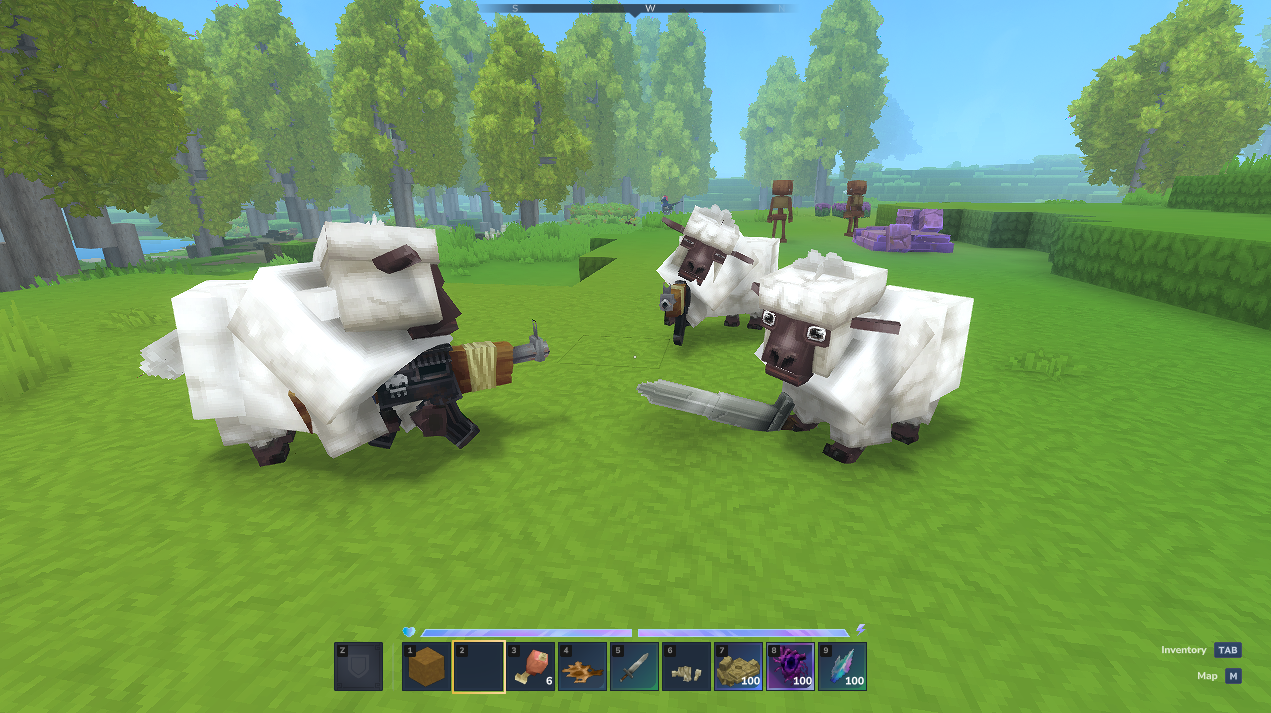
Here is an example of changing the Sheep role to go from a Livestock behavior enabled by Template_Animal_Neutral to being aggressive with the help of Template_Predator:
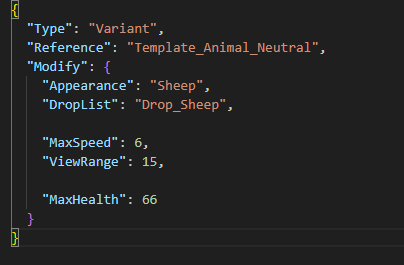
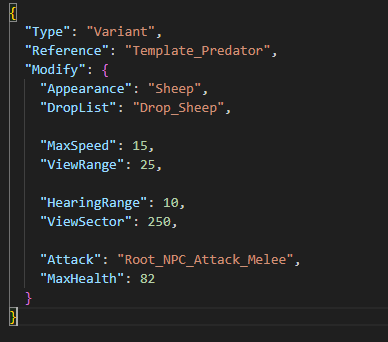
And it goes from being fond of you to attacking. With some basic templates, you can also give it a random weapon and you're ready for the Die Hard Sheep mod!
The Combat Action Evaluator
Though instruction lists already give designers a great deal of flexibility to configure their NPCs and implement combat behaviours, crafting a character that does more than a few basic attacks and needs to make some sort of decision about when to use certain attacks quickly becomes cumbersome.
The combat action evaluator exists to address these needs, by offering a companion framework to an NPC's central behaviour that can make smart moment-to-moment decisions about its state, the state of the world around it, and its enemies or allies. Each possible attack (or other combat action) is assigned a set of conditions that designate the best time to use it — when HP is low; when the enemy is close; when a player is trying to sneak around the back. These conditions are then evaluated and each action is weighed against the others to determine the course of action the NPC wants to take.
Making decisions this way introduces a level of "fuzziness" to the NPC and leads to more interesting combat encounters with less verbose configurations. The downside is that there's a steeper learning curve and NPCs might not always act the way you expect! It's also not as performant, but that's something the team hopes to improve with further iteration.
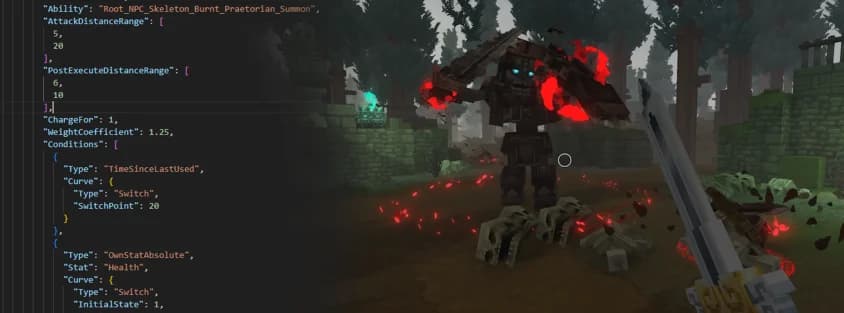
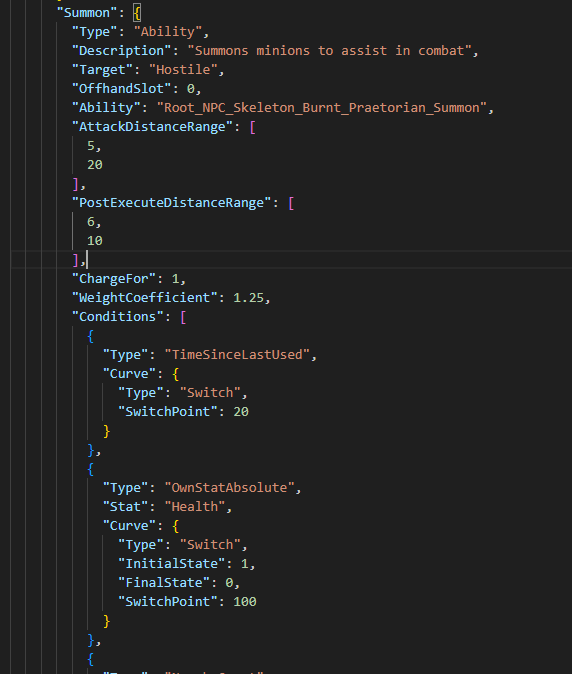
For example, the Skeleton Praetorian can decide between using different abilities with some degree of intelligence: blocking, summoning at low health, and charging, alongside basic attacks.
Below is a snippet that shows part of the configuration for the summon ability condition:
The Reality Check
This all sounds pretty far along, right? Maybe you could even believe it was shippable?
Well... no. There are still very many rough edges, missing features, and areas in need of vast improvement. Just as the post covers what the systems can do, it's important to talk about some of the major areas where things aren't quite there yet.
With great power comes... the need for great tooling. The team is very far off the mark here. There are plans for visual editing and debugging, but right now most NPC configuration is done directly in JSON files using text editors. It's workable, but painful, and though there are a variety of avenues for debugging NPCs when they don't work as expected, none of them are intuitive and most require reading through pages upon pages of detailed log files.
The learning curve associated with the combat action evaluator applies pretty much everywhere when it comes to working with NPCs as well. The team envisions an easier and smoother onboarding into NPC modding, but at this stage they can only offer a limited number of templates as examples along with documentation on available elements and simple tutorials.
There are plenty of major missing features as well:
- NPCs don't position themselves very well in combat
- They don't use proper avoidance or flocking
- While flying NPCs can land and take off, swimming NPCs can't leave the water and vice versa
- There's no end to the list of features still needed to deliver the envisioned game
The potential for performance issues also abounds. The team can support a relatively large number of NPCs but there's much work to be done in making them more performant, particularly when it comes to pathfinding.
And then there's all the technical debt — from NPCs not being able to deliberately break blocks outside of projectile-based explosions, to NPC physics needing a complete rework to unify it properly with player systems. There's a long road ahead.
Bugs, Bugs Everywhere
Many community members have pointed out the plethora of bugs that cropped up in released gameplay footage. With the current development pace, much of that footage is already outdated and the most critical of those bugs have already been fixed.
However, it's worth specifically talking about pathfinding, its challenges, and what this means for release.
Pathfinding is a large and complex topic — complex enough that many regular games struggle with it. When you add a procedural fully-modifiable block-based world to the mix, this becomes even more complex since you can no longer rely on many of the tricks games use to optimize performance around known terrain.
This means pathfinding is currently slow. Not so slow that it causes any noticeable performance issues, but slow enough that not all NPCs are allowed to be using it at all times, with severe restrictions on its current capabilities. This is why — for example — cave raptors don't jump across gaps to chase after the player. You can't pre-populate the world with "jump points" because the world could change at any time and each block of additional distance an NPC can jump over a gap is a large additional cost for every search.
The team doesn't expect this to change in time for the early access release, but they're committed to improving pathfinding as a whole and have already begun work on developing a new method that could solve most of these issues should it prove viable.
What's Next
Tooling is high up on the priority list. If the team wants to support modders properly, they need to give them the tools to make creating NPCs fun. This won't include a full suite of debugging tools at first, but they'll pull together what they can.
They also need to address the issues with pathfinding and movement while dealing with technical debt to ensure no performance bottlenecks are created when players face off against multiple NPCs in complex environments.
Adding more templates will also help to liven up the world, with bespoke behaviours introducing life to the cultures of Orbis' many different species. These are also intended to serve as further inspiration and examples for modders seeking to create their own more complex NPCs.
All of this leads towards the potential for creating proper bosses — encounters that will push all PvE systems to their absolute limits. There's a lot of work required to reach this point, but the team is laying it out step by step.
Debug Commands for Modders
Since the original writing of this post, the team has put effort into making NPCs more accessible to modders. While there's no visual editor or deep debugging just yet, a number of different visualisations have been added to make it easier to understand how your NPCs will function.
Each visualisation can be enabled by toggling certain NPC debug flags on individual NPCs using the NPC debug command while keeping the NPC in your view. Type /npc debug set <flag> in the chat console in-game, or add the flags as a comma-separated list in the Debug property of the NPC role itself. Running /npc debug presets provides a full list of available flags.
The most useful visualization flags are:
/npc debug set VisAiming
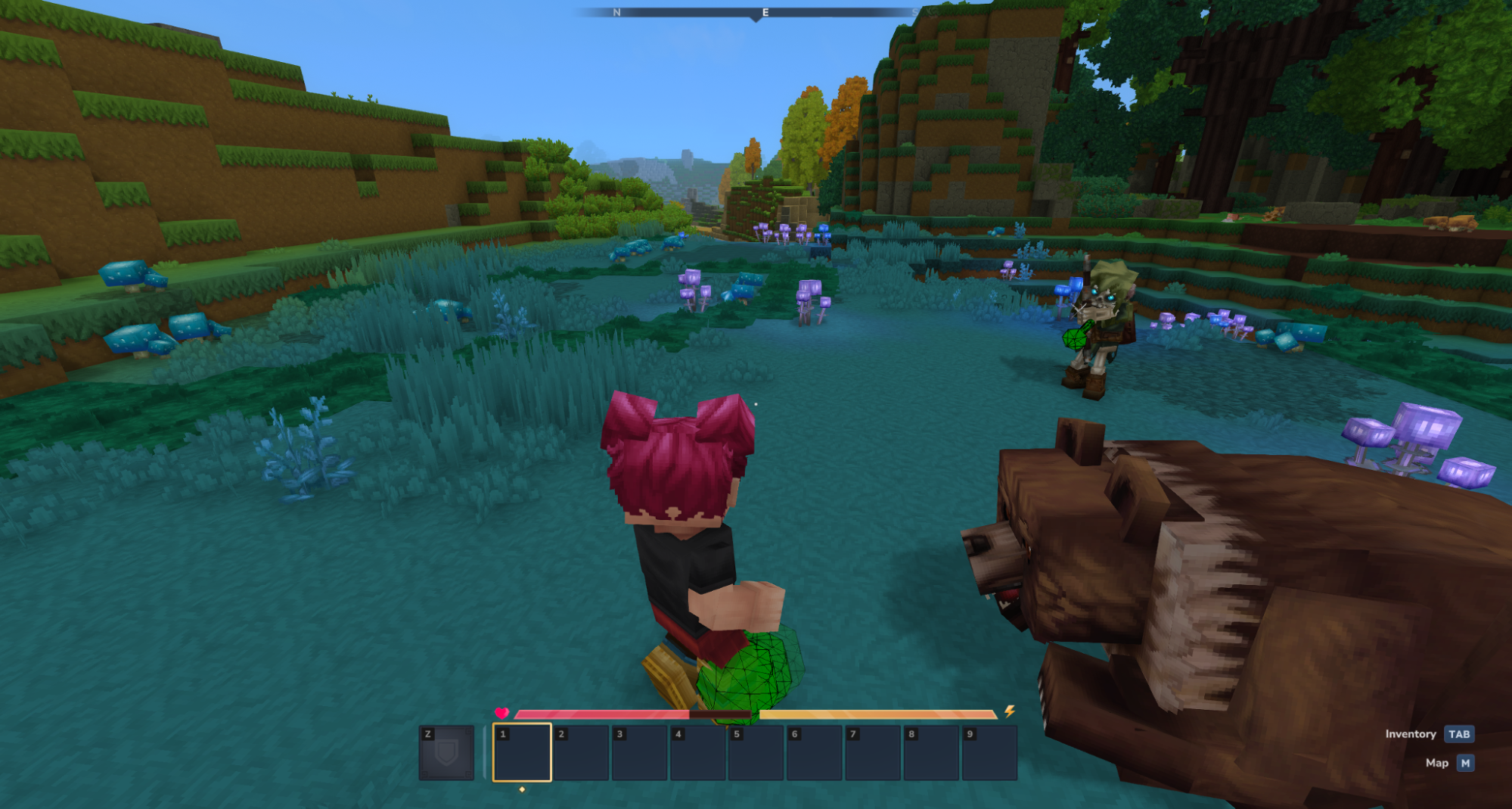
Use it to determine what the NPCs actually shoot at. Works for NPCs that have aim instructions in their logic.
/npc debug set VisMarkedTargets
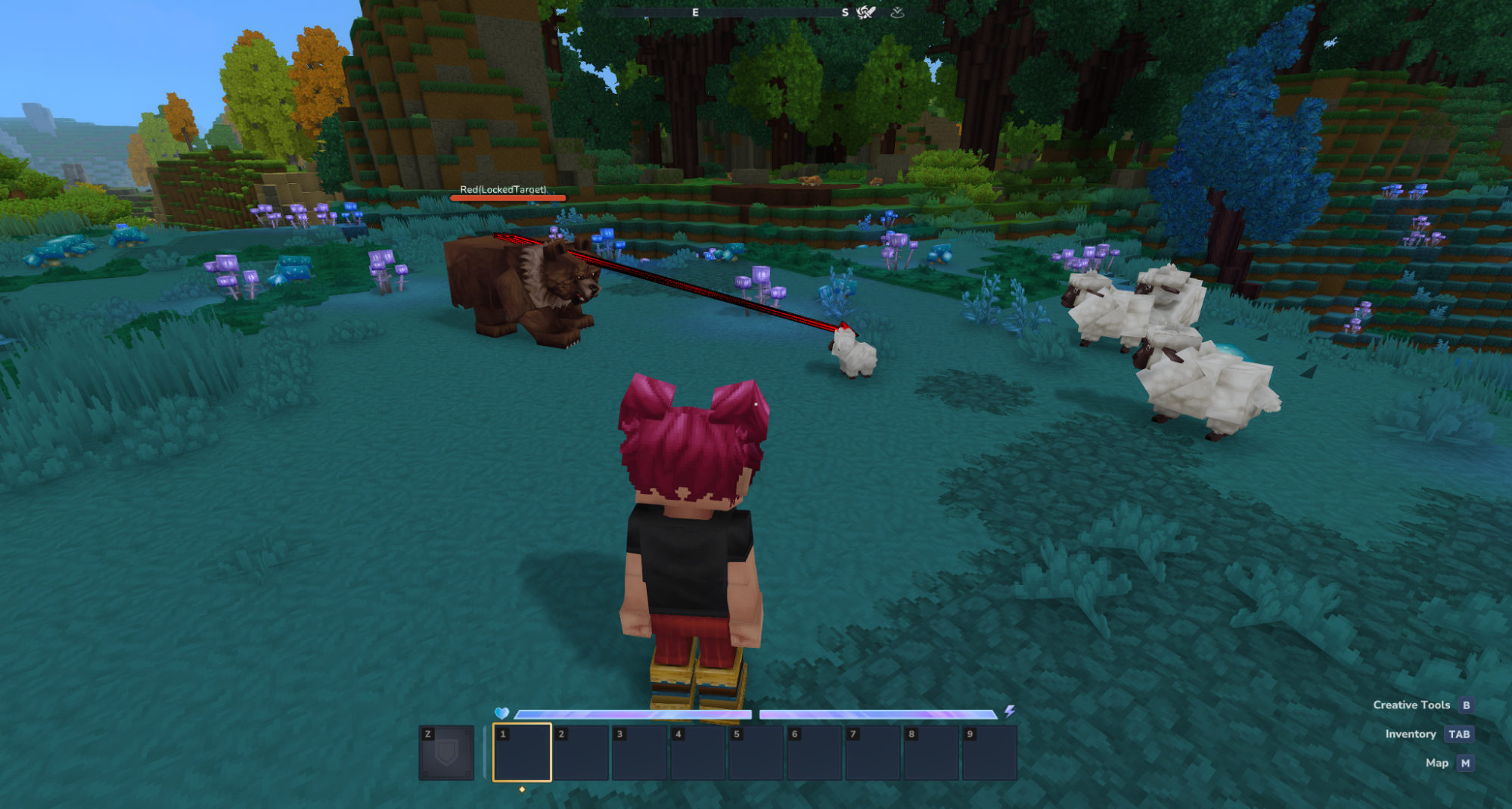
Visualises all current marked targets locked onto by the NPC. In most standard templates, the NPC has a single LockedTarget which is usually the entity they're actively engaged in combat with. Useful for understanding how and when the NPC changes focus.
/npc debug set VisSensorRanges
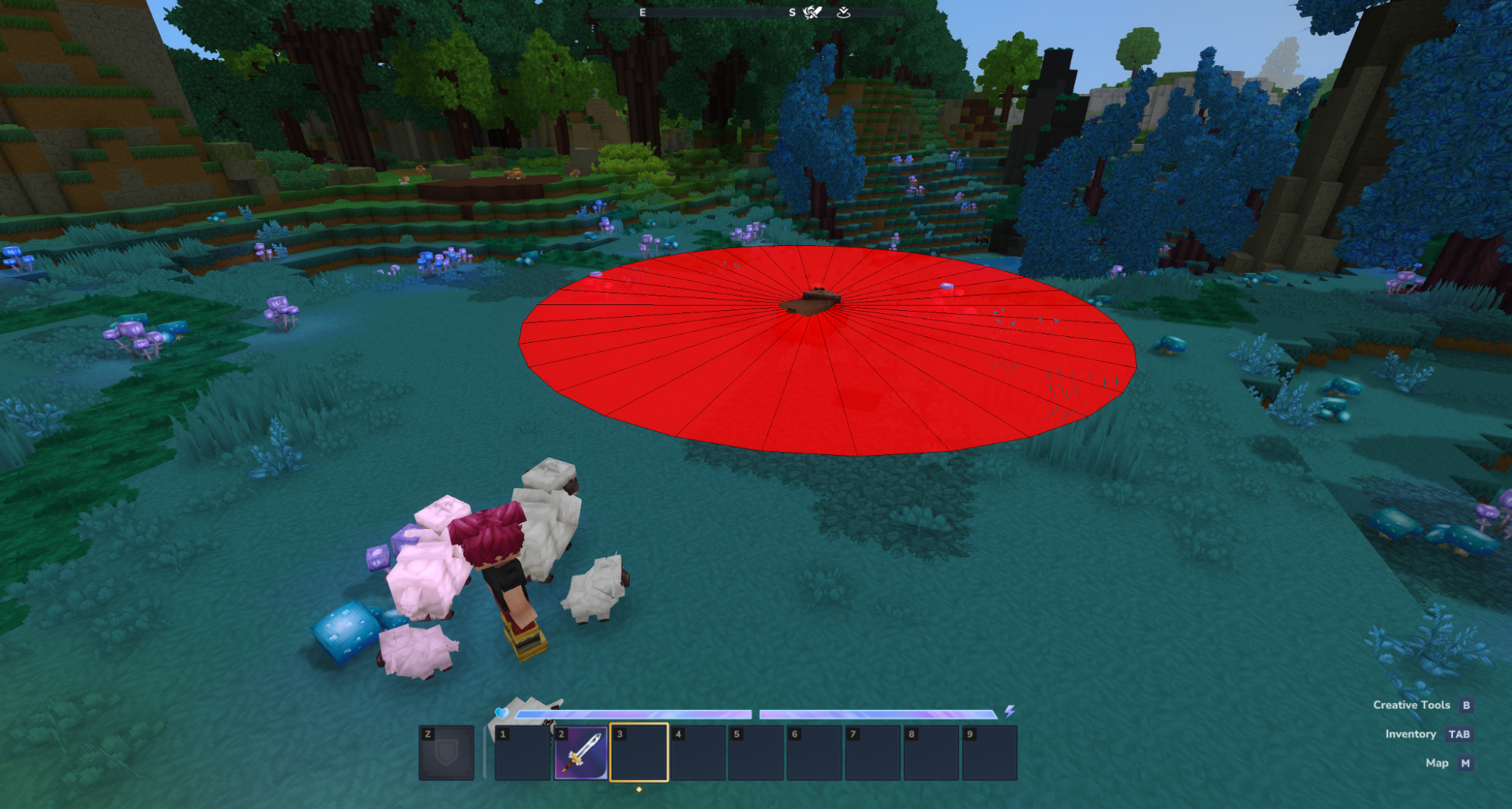
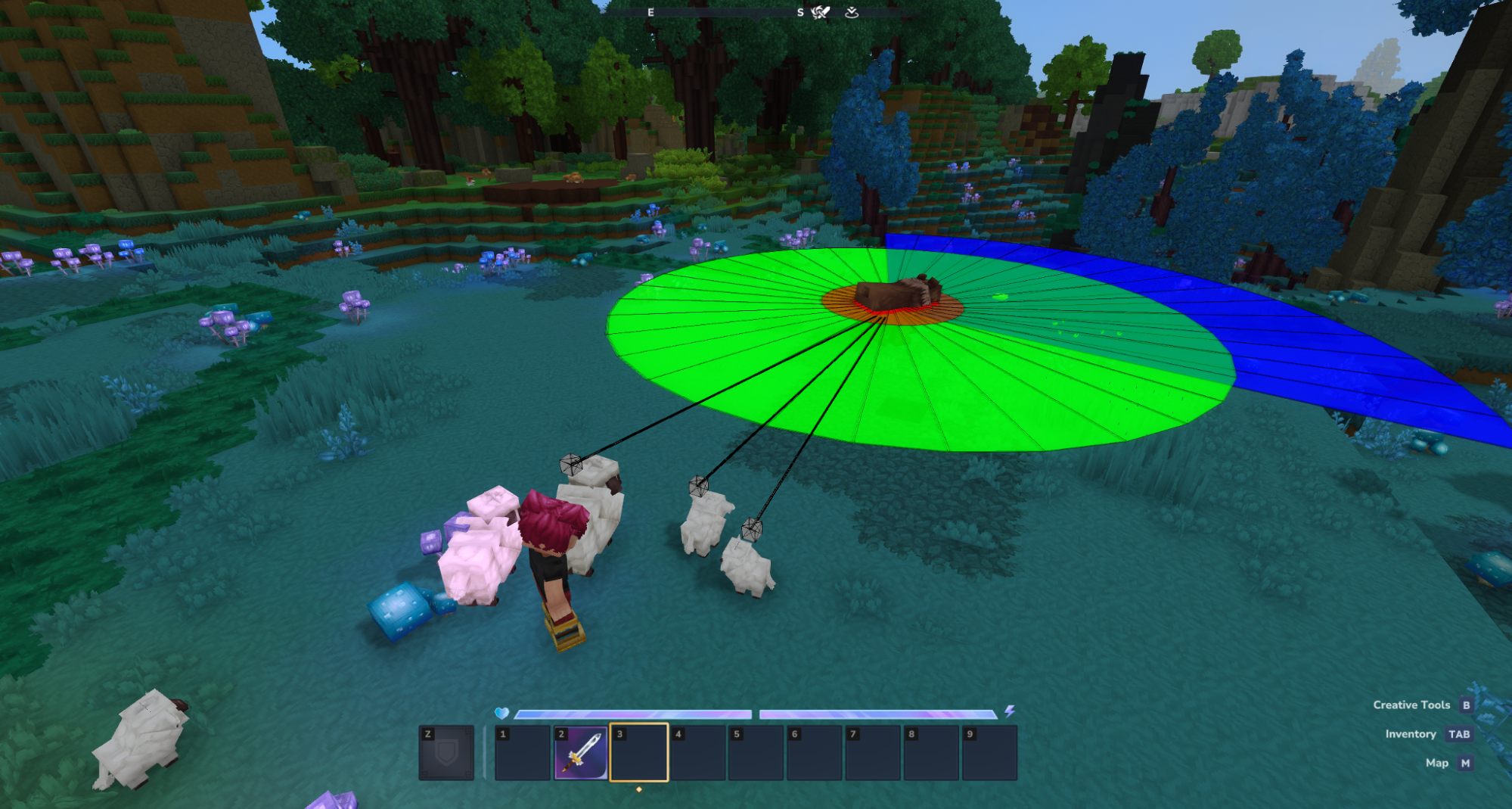
Visualises all currently checked Mob sensor ranges as rings and view sectors, as well as which entities in range are being matched by which sensors. This gives a quick visual overview of the "sensory capabilities" of an NPC. Note that though these are displayed as sectors and rings, they are technically spheres and cones that can be bounded by height conditions.
The first screenshot shows the Bear sleeping with only one sensor active. In the second screenshot the Bear has hearing, vision, and absolute detection range. Even though the Sheep are detected by the vision radius (they have target marks), they are outside of the view cone. The sheep family is still safe!
/npc debug set VisLeashPosition
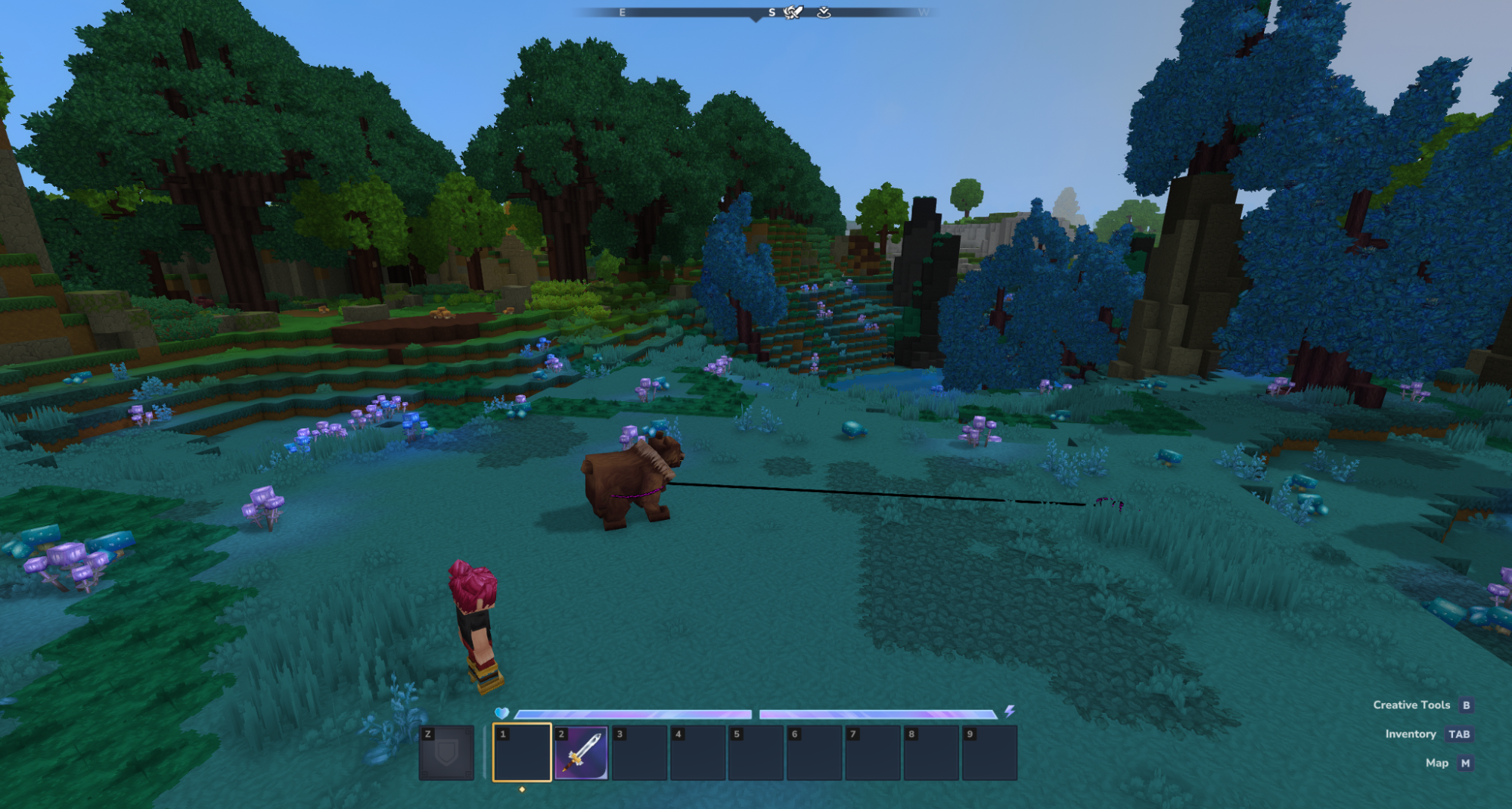
Visualises the NPC's current leash position.
/npc debug set VisFlock
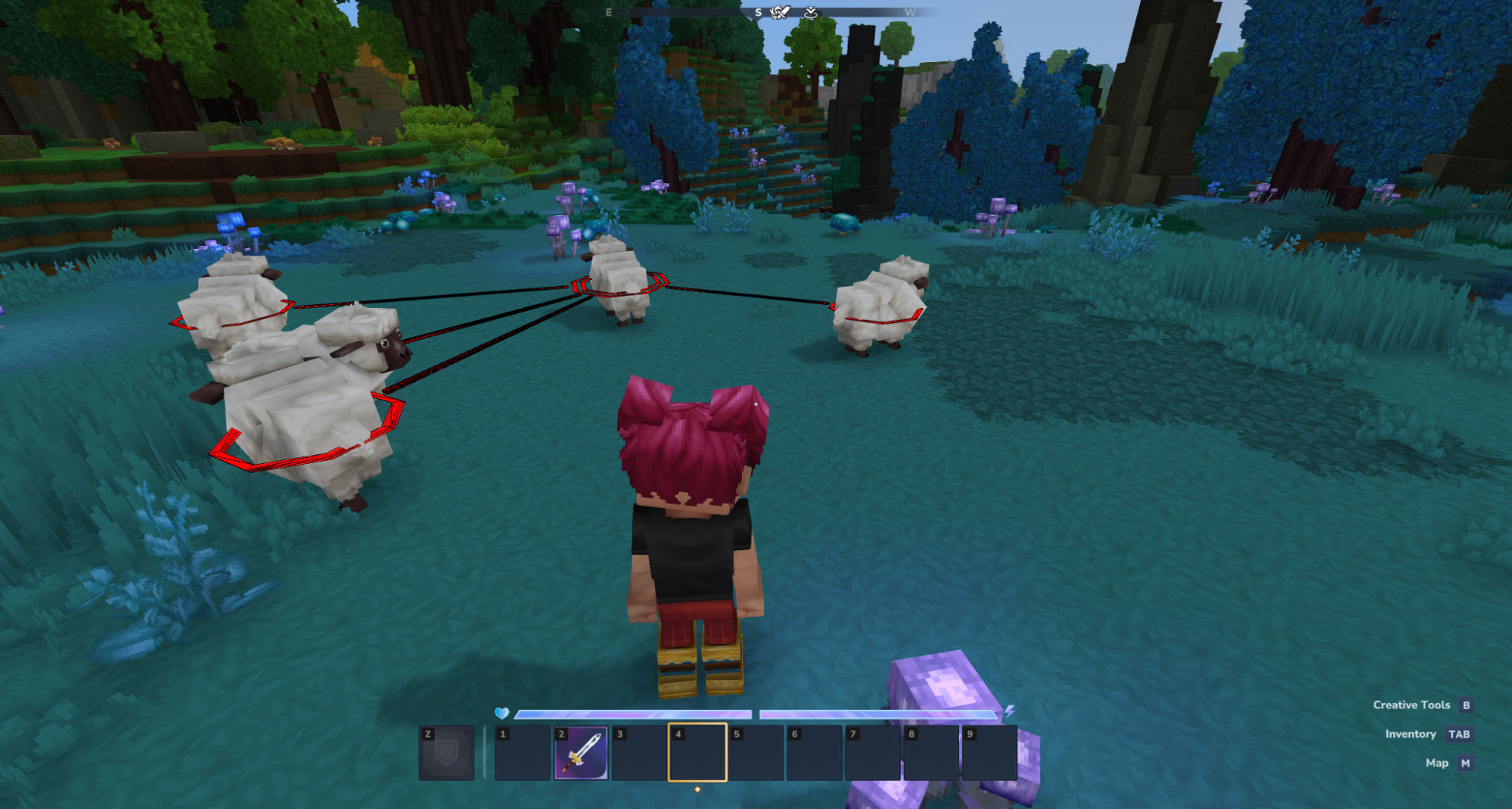
Visualises the flock (NPC group) associated with this NPC. This display includes marking the leader of the flock and all NPCs that are currently members of the flock.